Original creations in Second Life by Oggy Fink.

Tuesday, April 21, 2015

OSI Inworld store now open !

In addition to our marketplace store, we are happy to announce the opening of the all-new OSI inworld store !

Teleport now and you will find there all OSI items, plus vendors for the WomBaby! products (Interactive Belly, Twins and supplements). Thanks to an ORezzer, you will be able to rez and witness some of our objects. Take the time to grab a freebies box too !


Monday, March 30, 2015

Wombaby! Interactive Belly v2

The version 1 of the Wombaby! Interactive Belly has been quite a success over the last months. Hundreds of women have been able to enjoy this virtual pregnancy simulation in Second Life®, with unique highlights like the ability to see the fetus inside their bellies and see it move and interact with the mother, not forgetting the twins !

Now is the time for a major update of this unique product. After months of continued development, we are proud to present the WomBaby! Interactive Belly version 2.0, available right now in « single baby » and « twins » versions, all in 5 languages (English, Portuguese, French, Spanish and Italian) !


Below is the non-exhaustive list of major changes since version 1, most of them were inspired by customer reviews :
  • many enhancements to chat sentences and interactions. Most notably, a mechanism to adapt the sentences to the baby's gender was introduced. This also helps the translations to be correct whether the baby is a boy, a girl, or if his or her gender is unknown yet. For twins, a sentence can have parts that vary depending on a single baby's gender, or on both babies genders at the same time.
  • All chat (except the birth-related messages) can now be private (owner only) thanks to a new configuration option.
  • Partner selection is no longer done by typing his name in a textbox but by selecting him from a menu. No more frustrating typos.
  • Time zones: you can now indicate if you want the birth time to be expressed in SL time or any other timezone. When selecting your timezone, you can define it either by an offset from UTC (Greenwich time) or an official acronym.
  • For casual contractions (not related to baby birth), an extra message is said every 5 contractions to signal that they are normal.
  • Biased randomness so that the same fetus chat sentence can no longer be played twice in a row.
  • When birth time arrives while the mother if offline, she is now given a 10-minute labor time when she comes online. If she is late by more than 48 hours, this no longer results in baby loss (but there will be no 10-minute extra time in this situation).
  • Sound in mother HUD: when a health or rest-related request is in progress, a sound is played in the mother HUD in addition to the indicator bar flashing. This sound will depend on the current alert condition (normal, alert or critical) and can be customized among 18 sound themes. It can of course be deactivated.
  • New buttons in the mother HUD: related to sound selection, a help button and a global health indicator.
  • All supplements (vitamin, medicine, premature birth, abortion, fertile uterus) are now multi-language and automatically detect the Interactive Belly's language.
  • When someone clicks the Interactive Belly and is presented with the list of interactions, a new menu item "Get HUD" will allow him or her to automatically get the Partner HUD.
  • Numerous bug fixes and optimizations, too many to list here.
These new products, along with their supplements, are now available at the WomBaby! Marketplace store and inworld stores.

NB: to be clear, I am not the owner of the WomBaby! line of products, only the scripter. Any inquiries about this product should be addressed to MauMau Dinzel.

Monday, March 2, 2015

Saint Patrick Dance Floor : video

Following my previous post about our new product Saint Patrick Dance Floor, here is a short video showing the item in action. Too short probably (damn Pinnacle Studio bugs!) but still...

Enjoy !


The Saint Patrick Dance Floor is available at Oggy's Scripted Items marketplace store right now!

Sunday, March 1, 2015

ODisplay 1.1

If you ever wanted to have a sign on your land, to say directions, announce an event, caption some art, you are often forced to paint a dedicated texture, pay L$10 to upload it and apply it to your object. And if you want to change it well... just paint another texture and pay again !

There is another solution, here comes ODisplay, available right now at Oggy's Scripted Items marketplace store.

This is a 2-line text board that will display any information you want and that you can set up by using only menus. Just select the line you want to change, select "set text" and type your text in the new dialog !

No need to edit notecards, upload textures or whatever. Everything is menu-driven :

  • text to display on each line (up to 24 characters) ;
  • text color (and opacity) :
    • as one of the 16 predefined colors,
    • custom red,green,blue tint,
    • custom red,green,blue,alpha (tint and opacity) ;
  • text alignment : left, right or centered ;
  • text font :
    • as one of the 15 predefined fonts,
    • as a custom font UUID (3 more are referenced in the documentation),
    • as your own user-created font that you upload yourself ;
  • background texture (defined by its UUID or name) ;
  • background color :
    • 9 predefined colors,
    • custom <red,green,blue> tint ;
  • background alpha (opacity / transparency).
Once you are satisfied with your set up, a special "kill scripts" button will allow you to remove the scripts and turn your ODisplay board into an inert object.

Want more signs ? no problem since ODisplay is provided as a copiable and modifiable object ; have as many as you like on your land, resize them, link them to other objects, add your own scripts...

What more can you want ? Group access ? no problem ! Just set the ODisplay to a given group and only people wearing the tag of that group will have menu access. Set it to no group and only you, the owner, will have access to the menus.

Best of all ? each sign has a land impact of only 4 prim-equivalent !


Do you need more features ? More lines, more characters ? something very specific ? just contact me :

Thursday, February 26, 2015

St Patrick Dancefloor

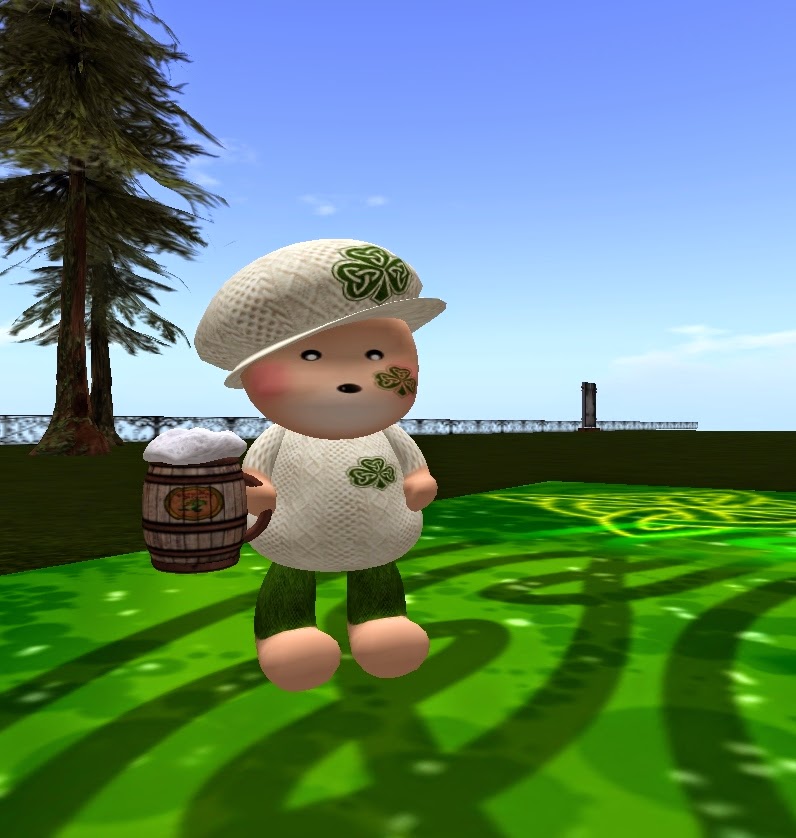
St Patrick day is coming... Let's have a dedicated party with this new dance floor now available at Oggy's Scripted Items.


So what can you expect from this new product ? Beer of course, dancing leprechauns, drunk leprechauns... oh and a pot of gold at the end of the rainbow too !

As usual, configuration is done through a simple easy notecard, and enables you to adjust many settings :
  • rainbow and pot of gold placement : the rainbow smoothly "opens" from one corner of the dance floor to the opposite corner and periodically changes corner ;
  • number of characters : just choose how many characters you want for your dance floor, just make sure you can afford the prims on your land ;
  • flashes : choose how the floor will "flash" (gradually change its color glow etc.) and how often it will. This can of course be deactivated.
The floor is freely resizable and the objects (rainbow, leprechauns...) will automatically adapt to its size, position and orientation !

Note that because of a bug in the current releases of Firestorm and the SL official viewer (see here and here) where objects that go transparent sometimes do not reappear, two versions of the dance floor are included : one fades out and in leprechauns while they move and the other just moves them. 

Alternative viewers like Lumiya are not affected by these bugs and let's just trust LL and the Firestorm team to fix this as soon as possible.

Saturday, February 7, 2015

Google App Engine Launcher

Recently I have been developing a web application in python in order to keep track of customer data in an update service. I used the wonderful Google App Engine framework and it does really a great job at providing a powerful and easy to use development environment.

However, I have been pulling my hair about the App Engine launcher that gets installed when you install the SDK on windows: while running my application from a local command line, the graphical user interface insisted on showing my application (added through the "Add existing application..." menu) in red, indicating an error. But which error ?

Today I found out why ! This is all because of an Unicode Byte Order Mark (BOM) in the app.yaml ! I was using the great Notepad++ to edit this essential file for the web application but was not aware that it was encoding it as utf-8 with BOM (which is an invisible mark at the beginning of the file).

Removing this BOM (in Notepad++'s Encoding menu, see image below) worked and now the launcher sees my application when I want to test it locally! Yay... I hope this tip is useful to someone.


Saturday, December 27, 2014

New Year dancefloor

The new year is nearing and it's already time to send your best wishes to friends ! Time to party too, why not use a newly designed dancefloor by Oggy's Scripted Items ?


When you install this New Year dancefloor, you will get :
  • nice mesh digits that move along the sides of the dancefloor : cusomizable size, color and, of course, value ;
  • flashes : periodically, the floor will smoothly change its color and glow, switch among the 3 (+1) predefined textures
  • a HUD that will enable you to trigger a countdown with customizable messages
  • a special texture that gets applied when the countdown reaches 0
Everything is configurable thanks to an easy yet fully documented notecard. Since the floor is modifiable (and copiable too), you can add your own scripts and animations inside it for a dance system. Note however that the digits and scripts are only copiable, not modifiable.

The included special texture says 2015 but it can be changed with but a line in the configuration, and the digits too (just say YEAR=2016 in the configuration!) so you get this dancefloors for all the new years to come. The only limit is year 9999 (email me if this is a problem ^_^).